Intuit’s August 12, 2026 announcement, updated September 30, describes new AI features for QuickBooks Online Advanced and Intuit Enterprise Suite. Intuit says the features are rolling out to U.S. customers; eligibility and timing vary.
Quick answer: Intuit Intelligence Chat is in beta for eligible Advanced and Enterprise Suite customers. It can answer questions, surface anomalies, run reports, and start workflows; users confirm actions. Intuit does not list lower QuickBooks Online plans as eligible, and rollout varies by tier and location.
What Intuit actually announced
The announcement covers several distinct features, with different availability:
Intuit Intelligence Chat. A conversational view of business performance that answers questions, surfaces anomalies, runs reports, and starts workflows. Intuit says users must confirm actions. The feature is in beta for eligible Advanced and Enterprise Suite customers.
Multi-entity accounting (beta) in Intuit Enterprise Suite. Recurring templates and intercompany account mappings handle repeatable work; an AI model drafts other entries for review and approval.
Books Upkeep in QuickBooks Online Advanced. Intuit says this service resolves high-confidence transactions under customer-set rules and flags exceptions for human review. Automated actions are labeled.
QuickBooks Online Advanced bundle. The release adds bill pay, payments, business intelligence, and AI bookkeeping to the subscription. Bill Pay Elite has no added subscription fee for eligible customers, though usage fees and limits apply.
The announcement also covers industry-specific construction features and beta manufacturing, inventory, and nonprofit features. Their availability varies by product and plan.
The detail that matters most: which tier
Intuit’s updated release says Intuit Intelligence Chat is in beta for eligible QuickBooks Online Advanced and Intuit Enterprise Suite customers. Other announced features have their own eligibility and rollout status.
| If your clients are on… | What this announcement means |
|---|---|
| Intuit Enterprise Suite | Chat beta for eligible customers; multi-entity close features are also in beta. |
| QuickBooks Online Advanced | Chat beta for eligible customers; Books Upkeep and other Advanced features are also described. |
| QuickBooks Online Simple Start, Essentials, or Plus | Not listed as eligible for Chat in Intuit’s current release. |
If your clients use Advanced or Enterprise Suite, evaluate the native features against the work they need. For clients on lower plans, confirm eligibility with Intuit rather than assuming the beta is included.
If you’re considering an upgrade, see our breakdown of the 2026 QuickBooks price changes and confirm current pricing with Intuit.
Where this leaves third-party tools
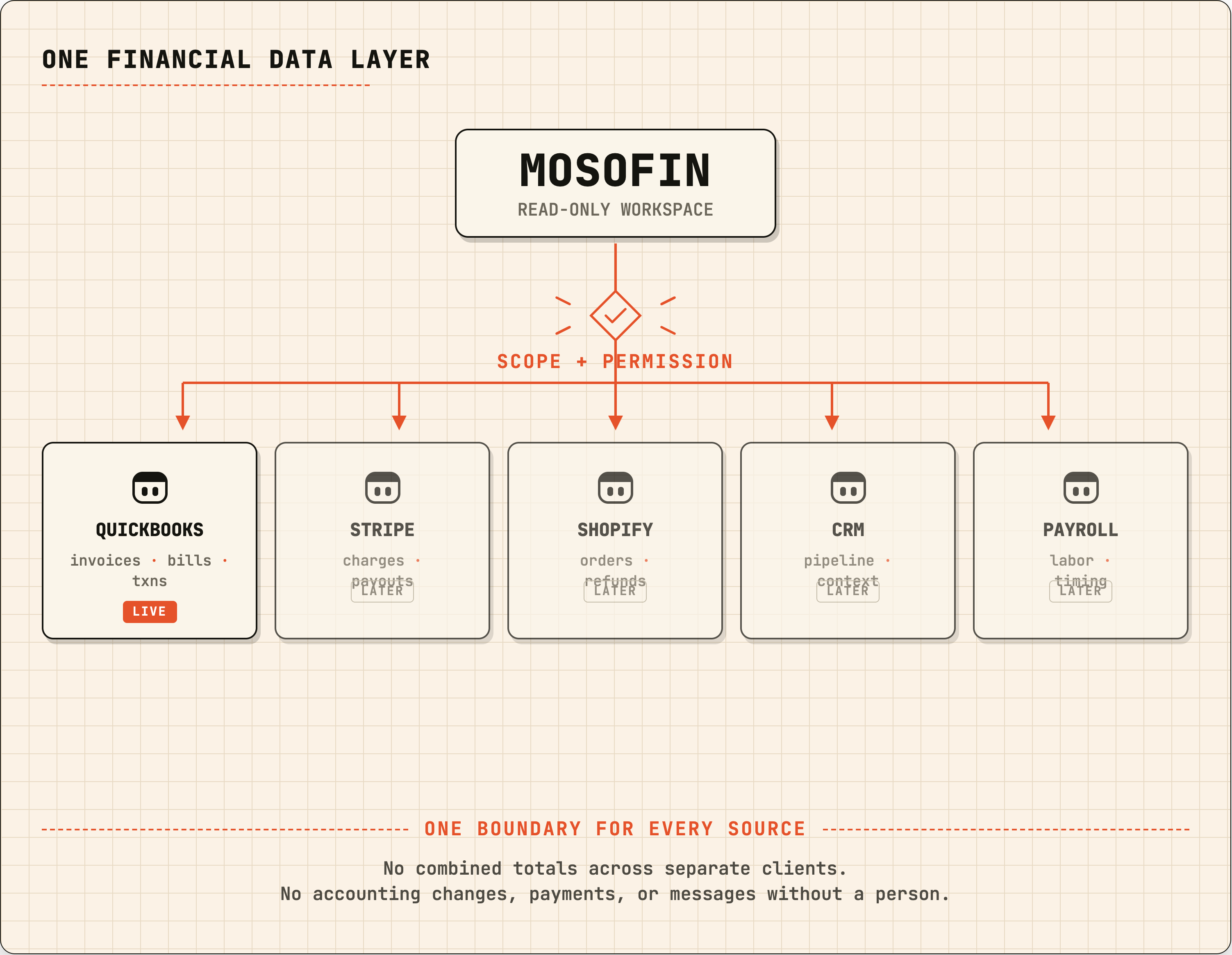
Intuit’s chat can start some workflows after a user confirms an action. MosoFin is read-only and cannot write to QuickBooks. The choice depends on whether you need an assistant that can act or a tool that only retrieves and explains data. See Is Claude safe for business financial data?.
Intuit Enterprise Suite’s multi-entity features address entities managed in that platform; they are not a shared workspace for a firm’s unrelated QuickBooks subscriptions. For that workflow, see connecting multiple QuickBooks companies.
Construction firms may also want to review Intuit’s project profitability and estimate features: construction job-cost tracking and construction cash-gap forecasting.
Where MosoFin fits, and where it does not
MosoFin publishes read-only QuickBooks setup guides for Claude, ChatGPT, Grok, and Muse. Use separate workspaces for clients with independent QuickBooks subscriptions; each workspace can connect up to five authorized QuickBooks entities. Check Connections for platform setup and account requirements.
MosoFin cannot post entries, close books, pay bills, or produce branded report packs. It is not an ERP or consolidation tool. If you need formal eliminations or currency translation, compare ERP and consolidation products. See formal multi-entity reporting vs. selected-workspace analysis.
For a wider view of the options, see our comparison of QuickBooks reporting tools.
A checklist for firms
- Check each client’s plan and feature eligibility.
- For eligible accounts, compare Intuit’s native features with the work the client needs.
- Test what a confirmation allows before connecting a client file.
- Verify material results against source records; see using generative AI for financial analysis.
Frequently asked questions
What is Intuit Intelligence Chat?
A conversational interface for business financial data. Intuit says it can answer questions, surface anomalies, run reports, and start workflows. The user must confirm actions.
Which QuickBooks plans get Intuit Intelligence Chat?
Intuit’s September 30 update says Chat is in beta for eligible QuickBooks Online Advanced and Intuit Enterprise Suite customers. It does not list lower QuickBooks Online plans as eligible. Availability varies.
Does this replace third-party QuickBooks AI tools?
Evaluate Intuit’s native features if your clients use eligible plans. For separate QuickBooks subscriptions, compare how each tool handles workspace separation and access.
What did Intuit announce for multi-entity accounting?
Intuit Enterprise Suite has beta multi-entity close features, including recurring templates, intercompany account mappings, and AI-drafted entries for review and approval.
Can MosoFin write to QuickBooks like Intuit Intelligence Chat can?
No. MosoFin’s QuickBooks tools are read-only. Intuit says its Chat can start workflows after the user confirms an action; the products have different permission models.
Sources
Product details are from Intuit’s announcement, published August 12 and updated September 30, 2026:
- Intuit advances its mid-market platform with conversational AI, enterprise scale, and deep industry workflows for CFOs and accounting firms — Intuit, published August 12, 2026
Availability, tier inclusion, beta status, and pricing can change. Verify against Intuit’s current documentation before making a purchasing decision.
This article is general information, not accounting, tax, or legal advice. QuickBooks, Intuit Enterprise Suite, and Intuit Intelligence are trademarks of Intuit Inc. MosoFin is an independent product and is not affiliated with or endorsed by Intuit.