Is Claude safe for business financial data? It depends on the plan, retention settings, connected tools, and the data and permissions you provide. A paid plan alone does not make a workflow safe.
For company data, use a commercial workspace, limit access to what the task needs, prefer read-only tools, and have a qualified person verify the result. Claude’s output is not a financial record.
For examples of what to do after those controls are in place, see Claude for Finance: 8 Small-Business Use Cases.
Why business users remain concerned
Public conversations show that the adoption barrier is not usefulness. It is uncertainty about what happens to the data.
In a Reddit discussion about sensitive work data, users debated breach risk, legal discovery, model training, retention, employee behavior, and whether an Enterprise contract is a technical safeguard or a legal remedy. A Facebook community post raised a related question: whether a paid plan makes it safe to prepare confidential or legally privileged documents without repeatedly de-identifying them.
These posts are anecdotal, not evidence of a breach. They show how easily training, retention, access, and legal risk get blurred together.
The five layers of Claude business-data security
| Layer | Question to ask |
|---|---|
| Commercial terms | Can Anthropic use the inputs or outputs to train models? |
| Retention | How long do the chat, files, and feedback remain stored? |
| Processing | Does the task run locally or in Anthropic’s cloud? |
| Permissions | Which folders, connectors, websites, and actions can Claude reach? |
| Business controls | Who approves the data scope, validates the output, and owns the decision? |
A safeguard in one area does not answer the others. No-training does not mean no retention; a sandbox does not prevent someone from connecting the wrong folder.
Team and Enterprise are different from individual plans
Consumer and commercial plans have different terms and administration. Team and Enterprise are designed for organizations; Enterprise adds controls for organizations that need more oversight.
Anthropic says commercial inputs and outputs are not used to train its models by default. Team provides organization-level administration. Enterprise adds audit logs, SCIM, custom retention, Compliance and Analytics APIs, customer-managed encryption keys, and US-only inference. Features and availability can change; check Anthropic’s current plan terms before choosing.
For a small business handling client or employee financial information, a managed organization account is easier to govern than separate personal accounts. Enterprise is worth evaluating when you need its specific controls—not as a blanket guarantee of safety.
Anthropic lists SOC 2 Type I and II, ISO 27001:2022, and ISO/IEC 42001:2023 for its commercial products. These describe organizational controls; they do not determine whether a particular workflow is appropriate.
No model training does not mean no storage
Anthropic says it does not use inputs and outputs from commercial products to train its models by default. Its commercial privacy guidance also explains an exception: when a user deliberately submits feedback or a bug report, the associated conversation may be retained and used under the feedback policy. Team and Enterprise owners can disable chat-rating feedback for their organizations.
Retention is separate. According to Anthropic’s commercial retention documentation, stateful products retain chats so users can continue working with them. A deleted conversation disappears from the user’s history immediately and is scheduled for backend deletion within 30 days, subject to safety, legal, and policy exceptions.
Enterprise administrators can set custom retention for chats and projects. Anthropic’s custom-retention documentation currently sets a minimum period of 30 days. By default, that data is retained indefinitely unless the organization configures a custom period.
Zero data retention is narrower still. Anthropic’s ZDR scope generally covers approved API organizations and certain Claude Code Enterprise configurations. It does not turn ordinary Claude chat or Cowork into a zero-retention product.
Where Cowork processes data
Cowork’s execution mode matters. Anthropic says cloud sessions run in temporary, isolated sandboxes on its infrastructure. They have no private-network access by default. If a cloud session uses a local file through Claude Desktop, that file is processed in the cloud. Existing desktop deployments can also run local sessions; the architecture and controls differ by mode. See Anthropic’s Cowork architecture overview for current details.
Neither a sandbox nor a local option replaces careful data scoping. Only connect folders, accounts, and tools needed for the task.
What connected tools can expose
Connectors are useful because they eliminate copying and exporting. They also carry the permissions of the person who authorizes them.
Anthropic’s custom connector guidance warns that a connector may read, create, modify, or delete information depending on its tools and OAuth scopes. It also identifies prompt injection and unexpected changes to a connector’s behavior as risks.
For financial work:
- Connect only tools from a provider the business trusts.
- Review every requested OAuth scope.
- Disable write tools that the workflow does not need.
- Avoid a permanent “always allow” decision for high-impact actions.
- Do not place passwords, API keys, bank credentials, or card data in prompts.
- Revoke access when an employee changes roles or leaves.
Existing permissions help, but they are not automatic data classification. If an employee already has broad access to a shared drive, a connector may make that broad access easier to search and use.
What Cowork protects—and what remains the business’s job
Anthropic’s Cowork safety guide describes approval modes including Manually approve, Automatically approve, and Skip all approvals. For finance tasks involving sensitive files or external actions, use manual approval and keep a person involved.
Team and Enterprise admins can monitor Cowork with OpenTelemetry. Anthropic says Cowork activity is also captured in the Enterprise Compliance API. OpenTelemetry can include prompt text, tool parameters, file paths, and user emails, so review what your organization sends to its monitoring system and how long it is retained.
A safer setup for small-business financial data
Before connecting QuickBooks, documents, email, or payments:
- Use a managed company account. Keep client work out of personal accounts.
- Limit the data. Connect only the client, entity, period, or folder the task requires.
- Prefer read-only access. Keep analysis separate from changing books or moving money.
- Require review. Use manual approval for sensitive access and consequential actions; reconcile numbers to the system of record.
- Set retention and sharing rules. Confirm what is saved, who can access it, and how deletion works for your plan.
- Keep a qualified person accountable. Separate source facts from estimates and recommendations; have a finance professional approve conclusions and next steps.
Confidentiality, legal privilege, tax obligations, and regulatory requirements depend on the facts and jurisdiction. Businesses handling those matters should obtain advice from their security, privacy, and legal professionals rather than relying on a general product article.
How MosoFin narrows the finance workflow
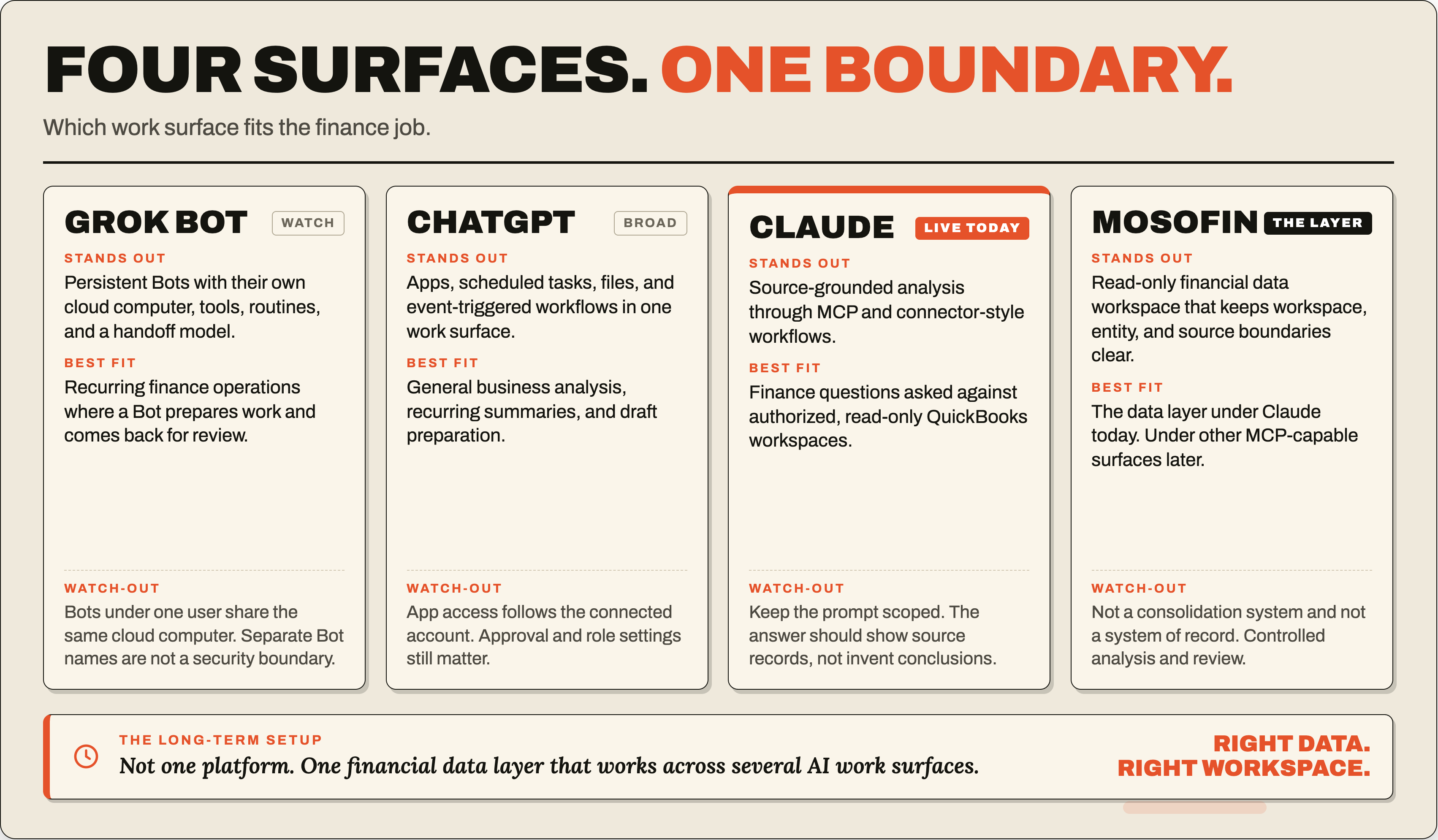
MosoFin does not make every use of Claude risk-free. It reduces a specific risk: giving an AI broad authority over the accounting system when the task only requires financial review.
MosoFin creates a separate workspace for each client or company and exposes read-only financial data tools inside Claude. It does not provide write-back tools for posting entries, changing invoices, running payroll, sending payments, filing taxes, or modifying the books. Each workspace has its own connection, tool controls, and activity history.
Keep QuickBooks as the system of record; the responsible professional validates MosoFin’s retrieved data and decides what happens next.
Frequently asked questions
Does Anthropic train Claude on Team or Enterprise business data?
Anthropic says it does not use inputs or outputs from commercial products such as Team and Enterprise to train its models by default. Data intentionally submitted as feedback can be handled differently.
Does no model training mean Claude does not store business data?
No. Training and retention are different. Stateful Claude products retain chats so users can continue them, and deletion, custom retention, safety, and legal exceptions determine how long information remains stored.
Does Claude Cowork keep financial files only on my computer?
Not necessarily. Cloud Cowork sessions run on Anthropic-managed infrastructure, and local files opened through the desktop app can be processed on Anthropic’s servers. Access is limited to the folders and tools that users connect.
Does Claude Enterprise give Cowork zero data retention?
No. Anthropic says approved zero-data-retention arrangements cover eligible APIs and certain Claude Code configurations. They do not automatically cover ordinary Claude chats or Cowork sessions.
Is Claude safe for QuickBooks data?
It can be used in a controlled workflow when access is narrowly scoped, credentials are protected, output is reviewed, and consequential actions remain separate. A read-only connector reduces the potential impact of a mistake.
How does MosoFin limit access to financial data?
MosoFin uses separate workspaces and read-only financial data tools. It does not provide write-back tools for changing invoices, posting journal entries, sending payments, or modifying the books.