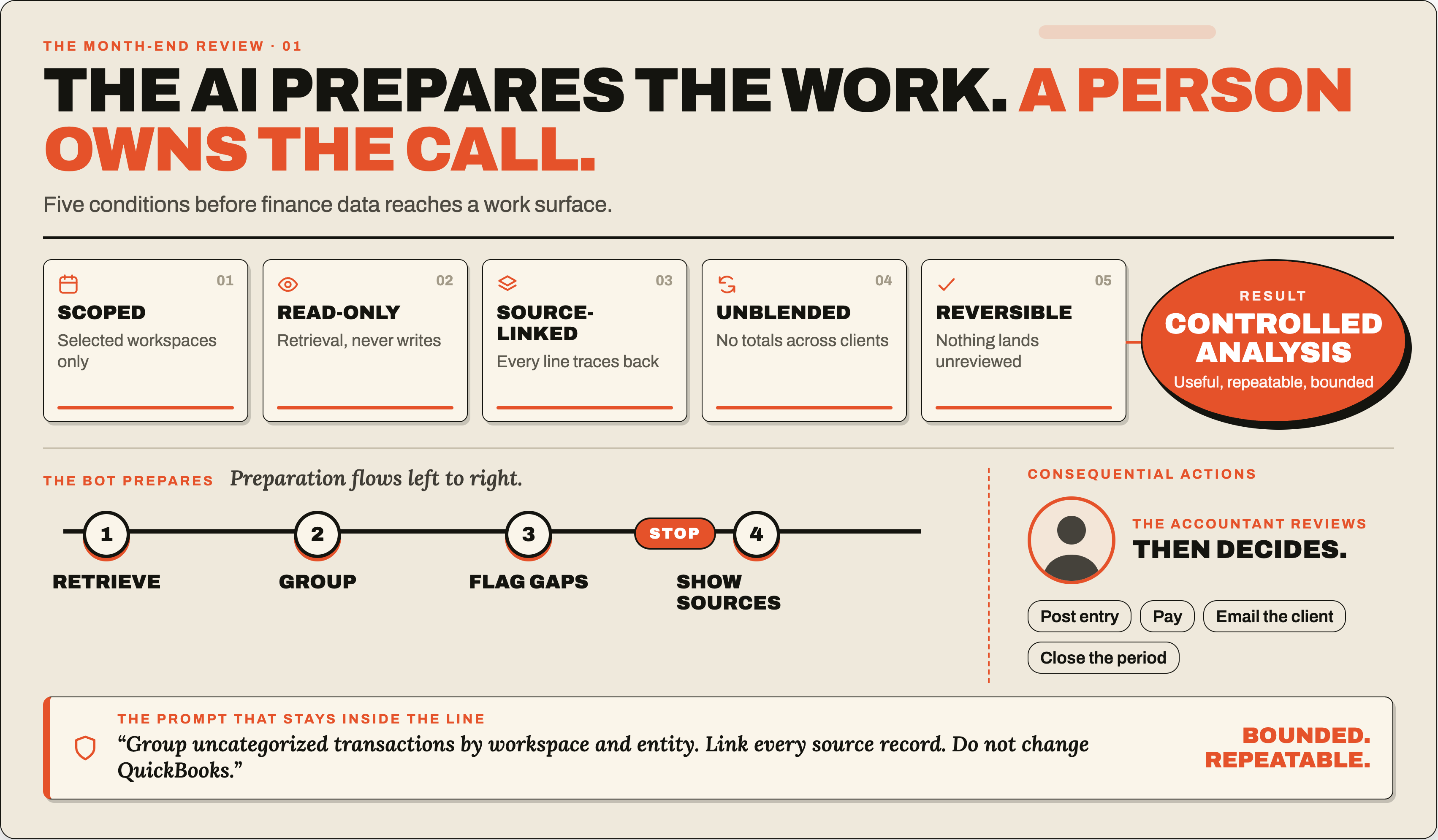
An AI finance Bot can prepare a review without changing accounting records. A read-only setup lets it retrieve permitted data, link findings to source records, and draft questions for a person to check.
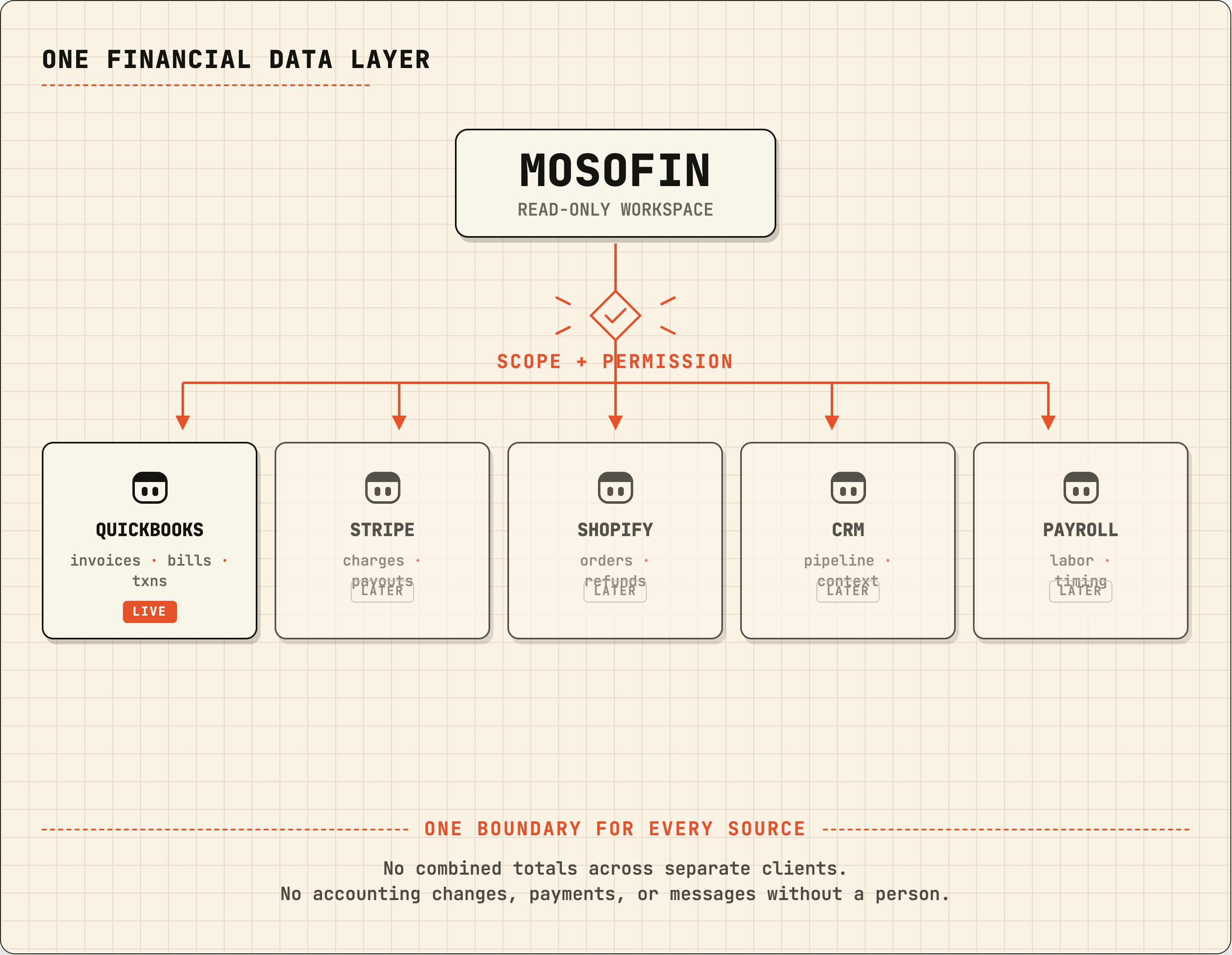
MosoFin’s Grok connector retrieves authorized, read-only QuickBooks data from selected workspaces. Grok prepares the analysis; a bookkeeper, owner, or finance professional reviews it and decides what to do.
Follow Connect MosoFin to Grok to add the custom connector, sign in, approve access, and choose workspaces.
Give the Bot preparation work
These jobs are good candidates for a read-only Bot because the professional can check the result before acting:
- compare this month’s cash movement with the prior month;
- create an overdue-invoice list with customer, balance, age, and source record;
- identify transactions still in uncategorized accounts;
- prepare a source-linked list of unusual expenses; and
- group month-end exceptions by workspace and entity.
State the period, workspaces, expected output, and how to handle missing data. For a finance-review Bot, prohibit external contact unless a person explicitly approves it.
Keep these actions behind approval
The data connector should not be the route to a consequential action. Require a person to approve or perform these steps:
| Action | Who should decide |
|---|---|
| Accounting treatment, journal entries, and reconciliations | Qualified accounting professional |
| Sending invoices, reminders, or customer messages | Authorized person after reviewing the draft |
| Payments, payroll, lending, or purchases | Authorized financial approver |
| Adding users, changing roles, or widening workspace access | Account administrator |
| Deleting records or source files | Authorized person with a recovery plan |
Treat shared Bot computers carefully
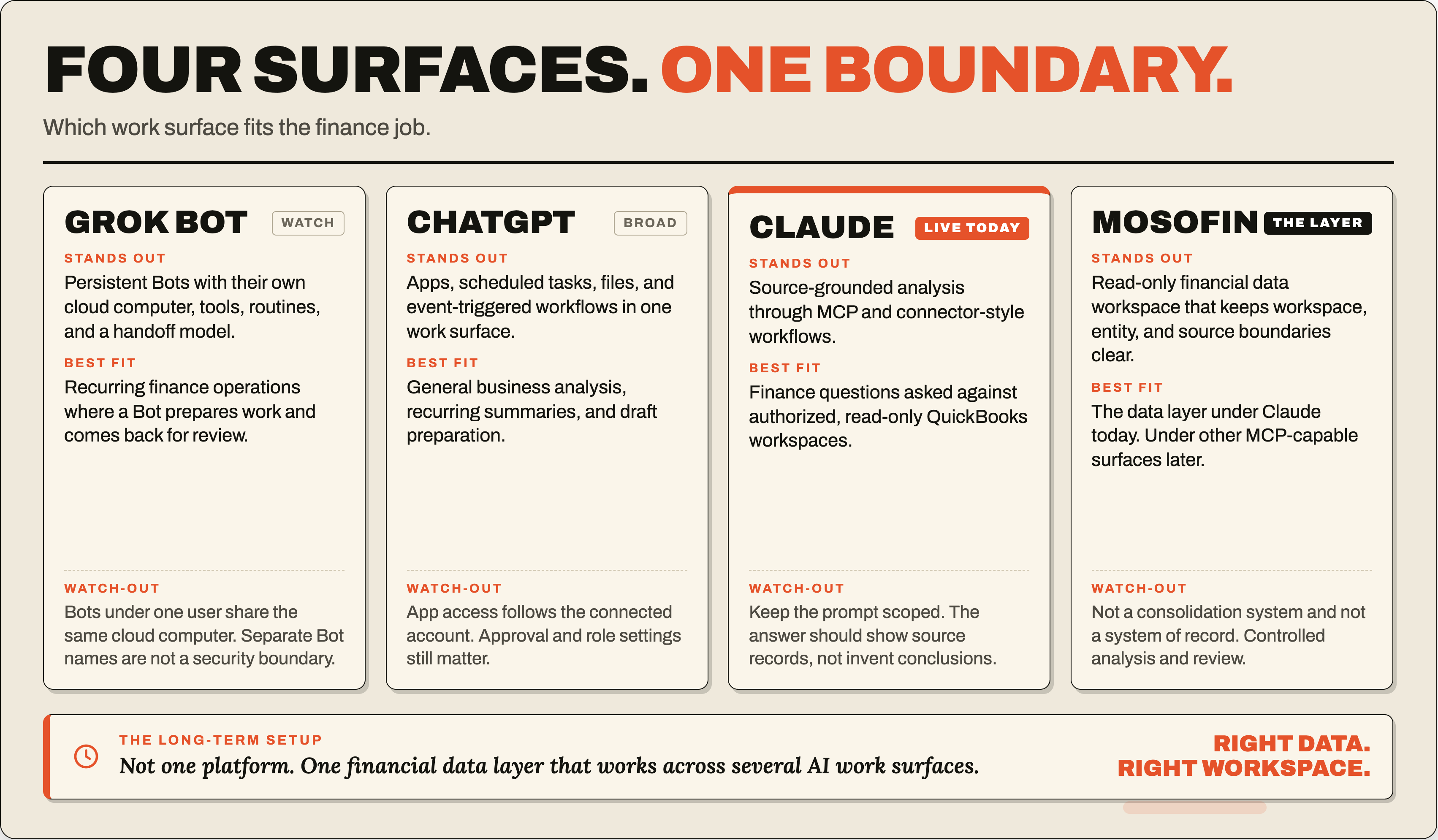
xAI says Grok Bots on the same account share a cloud computer, including files, browser sessions, and logins. Separate Bot roles do not isolate credentials.
Use the smallest connector scope needed and select only workspaces in review. Keep live credentials out of Bot instructions and shared notes; sign out of accounts no longer needed. A Bot’s name or chat channel is not an access-control boundary.
Ask for source records and limits
A useful finance result names the period and data coverage, links findings to source records, separates facts from assumptions, and states what could not be verified.
Example prompt:
Review the selected authorized workspaces for overdue invoices. Show customer, invoice number, invoice date, due date, balance, age, and source record. Flag missing payment information. Draft follow-up questions for review, but do not contact customers, alter invoices, or combine totals across workspaces.
Current connector scope
The Grok connector cannot create, update, delete, or post QuickBooks records. Check each additional source’s documented permissions before using it with live financial data.
Sources
- xAI, Approvals, security, and privacy
- xAI, Grok Bot security FAQ
- MosoFin, Connect MosoFin to Grok
- MosoFin, Security