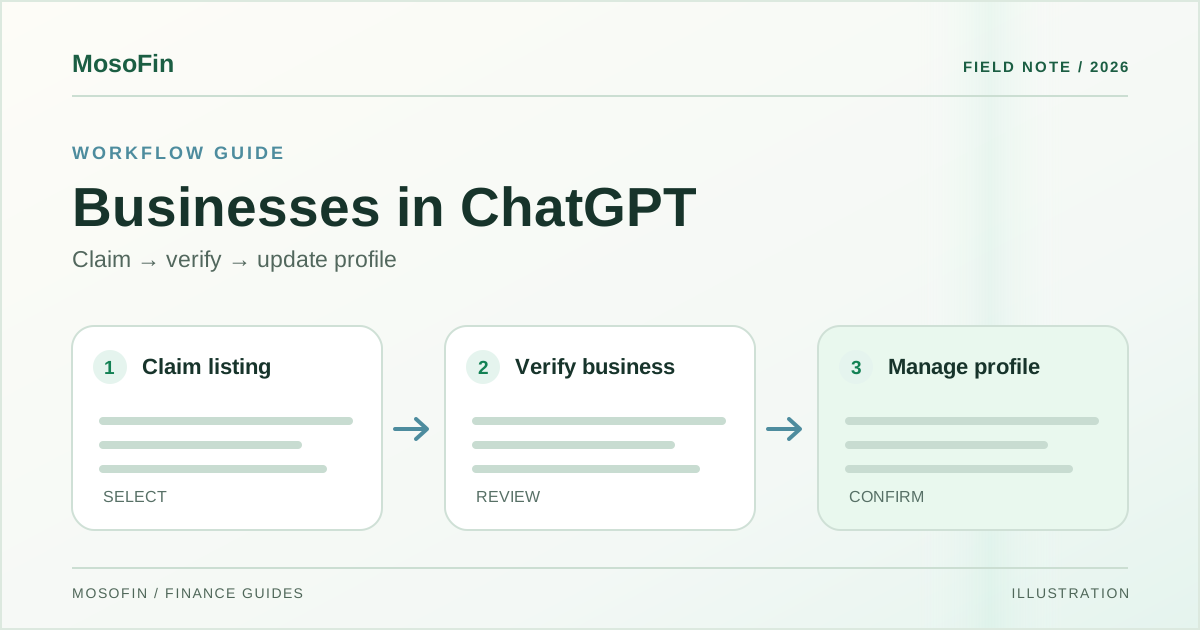
If someone asks ChatGPT about your store, are its hours, contact details, and product prices current? OpenAI’s Businesses in ChatGPT beta gives eligible owners a place to claim their business and manage that information through Business Hub.
Watch MosoFin’s Businesses in ChatGPT Business Hub video. The shop and discovery figures in the video are OpenAI demonstration material, not results from a MosoFin customer.
Quick answer: Business Hub can help an eligible business claim and verify its profile, update facts, add product information, and see aggregated discovery insights. A customer-facing Business Agent is a separate option for eligible U.S. ecommerce and online service businesses. None of this connects a private financial account to MosoFin.
What Business Hub changes
OpenAI separates three jobs in its announcement:
| Job | What the business controls | What to check |
|---|---|---|
| Business profile | Details such as contact information and hours | Match the website and the real operating location |
| Product information | Feeds with current prices and availability | Update or remove stale products; do not treat a feed upload as a sale |
| Discovery insights | Aggregated mentions, website clicks, and common discovery topics | Check the date range and thresholds before interpreting a change |
These tools may help people find accurate information. OpenAI does not promise that claiming a profile makes ChatGPT recommend the business, increases sales, or gives the owner access to private customer conversations.
How to claim and verify the business
The OpenAI setup guide says an owner or authorized representative can open Business Hub, find the right listing, and follow the verification option offered for that business. Options can include phone, business email, website domain, or Shopify. The available method varies by listing.
There is a second identity step. After the business claim is approved, OpenAI says Persona verification is needed before publishing profile changes, viewing insights, or creating an eligible agent. A claim alone does not give the profile a verified badge. Assign a named administrator, retain the evidence of authorization, and use the business’s own account rather than sharing a personal sign-in.
What a Business Agent can and cannot mean
OpenAI says eligible U.S. ecommerce and online service businesses with a website can build a Business Agent after the relevant verification. A customer may choose to chat with it about the business’s products and policies. That conversation is clearly labeled and separate from ChatGPT’s independent answer.
The agent should be reviewed before publication: test a sold-out product, an outdated return policy, a question outside the catalog, and a request for a price that has changed. The agent is a customer information surface. Its existence does not prove that an order or payment happens inside ChatGPT.
OpenAI says businesses receive aggregated discovery insights only when enough interactions meet its thresholds. It says users’ ChatGPT conversations and Business Agent chats are not shared with businesses. Treat a rise in mentions as a signal to investigate, not as booked revenue.
Where MosoFin fits after discovery
Business Hub is for public business information and customer discovery. MosoFin handles a different question: what happened in your authorized business data after people visited, ordered, paid, or received an invoice? Its source and workspace boundaries matter when an owner compares a marketing signal with actual financial results.
The MosoFin video imagines asking about sales or cash after customer activity. It does not show a Business Hub-to-MosoFin data feed. Start with the currently supported connections, identify the specific source and period, and avoid adding figures from different systems without a defined reconciliation. How MosoFin works explains the review path.
A first-week checklist
- Confirm your business listing, administrator, and website domain.
- Complete the claim and required identity verification.
- Check hours, contact details, policies, and any product feed against the website and stock system.
- If eligible, test the Business Agent with real customer questions before publishing it.
- Record the date range of discovery insights. Compare website clicks with your own analytics and orders, while keeping those measures distinct.
Frequently asked questions
How do I claim my business in ChatGPT?
Open Business Hub, find the correct listing, confirm you are authorized to represent the business, and complete the verification steps offered for that listing.
Does claiming a business automatically create a Business Agent?
No. Claiming, identity verification, and publishing a Business Agent are separate steps. Agents are available only to eligible U.S. ecommerce and online service businesses with a website.
Can businesses read customers’ ChatGPT conversations?
OpenAI says it does not share users’ conversations or Business Agent chats with businesses. Business Hub insights are aggregated and subject to thresholds.
Does MosoFin power Business Hub?
No. Business Hub is an OpenAI product. MosoFin is a separate service for reviewing authorized business data.
Sources
- OpenAI — Introducing Businesses in ChatGPT, November 10, 2026.
- OpenAI — Setting up your business on ChatGPT, checked November 18, 2026.
- MosoFin — Your Business Is Now in ChatGPT. Here’s What You Get., our explainer.
Related: ChatGPT for Sales · MosoFin connections