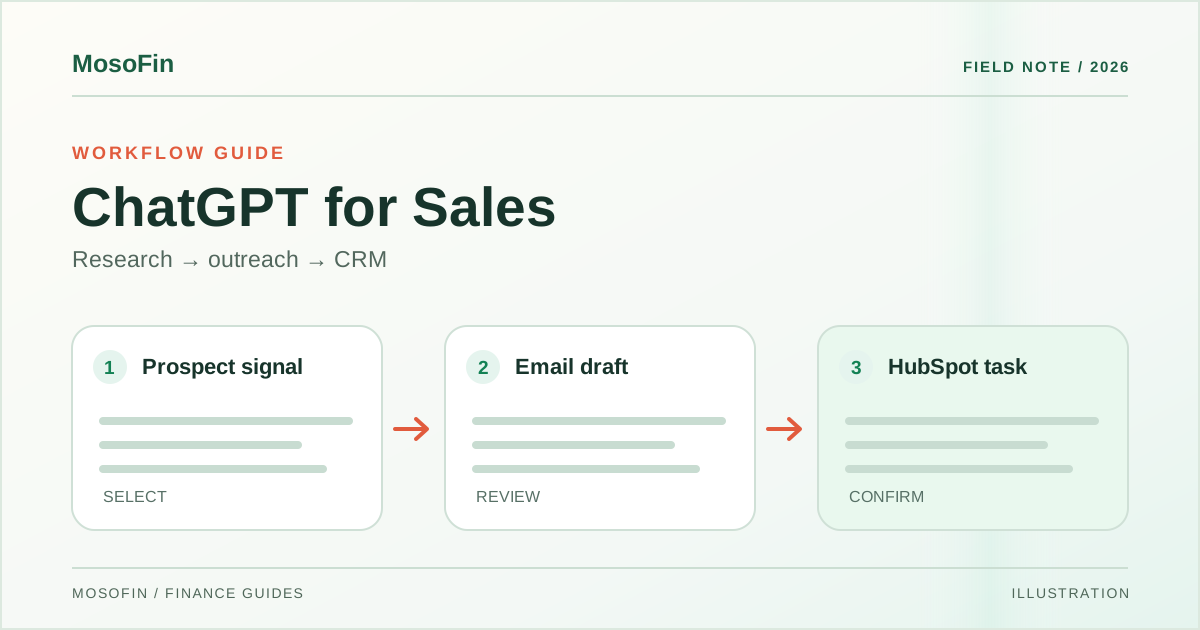
The sales rep has five possible new accounts, but needs to find the right buyer, write a relevant first note, and remember every follow-up. OpenAI’s ChatGPT for Sales launch shows one prompt doing the preparation: research the accounts, draft personalized emails, and create tasks in HubSpot.
Watch MosoFin’s ChatGPT for Sales prospecting and HubSpot workflow video. The short follows OpenAI’s demo and shows an illustrative question about the money side of sales. The latter is not a demonstrated Sales-plugin-to-MosoFin integration.
Quick answer: ChatGPT for Sales combines a Sales plugin with partner plugins for research, CRM context, meeting preparation, and follow-up. The demo prepares emails and HubSpot tasks. A seller still needs to check the source, permissions, recipient, and message before a customer sees anything.
What happens in the launch demo?
The OpenAI launch film starts with a prospecting request. ChatGPT looks for companies that announced new locations, identifies likely buyers, drafts outreach tied to that expansion, and creates follow-up tasks in HubSpot.
That is a useful starting point, but the first review should be specific:
- Check the company signal. Is the new location announcement current, and does it come from a reliable source?
- Check the buyer. Is the person still at the company, and do they own the problem your message addresses?
- Read the draft as the recipient. Remove invented familiarity, unsupported claims, and details copied from the wrong account.
- Inspect the CRM changes. Confirm the task owner, due date, account, and whether a duplicate task already exists.
The video shows a prepared workflow; it is not evidence of a particular reply rate, deal win rate, or time saving.
Beyond prospecting: four useful sales jobs
OpenAI describes more than 30 new or expanded partner plugins in its announcement. The product also supports these jobs:
| Sales job | Inputs OpenAI describes | Human decision |
|---|---|---|
| Choose accounts | CRM history and prospect research | Decide which accounts fit the real market and why |
| Prepare for a call | Account history, prior calls, and buyer priorities | Check that the briefing is current and belongs to this buyer |
| Follow up after a call | Notes, agreed next steps, and CRM context | Approve what was promised and what gets sent |
| Review a stalled deal | CRM history and customer conversations | Decide whether the stated risk is supported and who should act |
OpenAI names tools such as Salesforce, HubSpot, Gong, Outreach, DocuSign, and Canva across these workflows. It also describes dot, an always-on agent that can prepare briefs and track deal updates. Tool names on a product page are not a guarantee that every action is available in every account.
Where the financial question starts
A sales pipeline tells you what might close. Finance data tells you what has been billed and paid. The MosoFin video illustrates a follow-up question such as, “Which deals got paid, and where did cash go?” That requires a careful link between a CRM deal and the correct invoice or payment record. The video does not establish that MosoFin currently makes that cross-system match for every CRM.
For a current financial review, start with the connected source and ask a narrower question: “Which customer invoices in this workspace were paid last month? Show the source record, payment date, amount, and reporting period.” Check the MosoFin connections page for supported sources and destinations before trying the workflow. Keep sales forecasts separate from actual cash receipts.
Availability and a safe first test
OpenAI says ChatGPT Business and Enterprise administrators can enable ChatGPT for Sales and choose the partner plugins their team can install. Availability varies by plan, region, and workspace settings. Review each connected app’s actions, not just its name.
For a first test, choose two accounts that a seller knows well. Compare the generated research with the original sources. Review each email before sending and each HubSpot task before saving. Record what was right, what needed correction, and which step required approval. That gives the team a useful operating rule before it expands the workflow.
Frequently asked questions
What is ChatGPT for Sales?
OpenAI’s Sales plugin provides ready-to-use workflows for account research, meeting preparation, follow-up drafts, and deal review using connected partner tools.
Does the demo send emails automatically?
The launch film shows personalized email drafts and HubSpot follow-up tasks. Review recipients, claims, permissions, and final actions in connected tools before sending or changing records.
Is ChatGPT for Sales available to every ChatGPT user?
OpenAI says ChatGPT Business and Enterprise admins can enable it. Partner plugin and feature availability varies by plan, region, and workspace settings.
Sources
- OpenAI — Introducing ChatGPT for Sales, November 17, 2026.
- OpenAI — Introducing ChatGPT for Sales video, launch demonstration.
- MosoFin — ChatGPT for Sales: one prompt finds prospects, drafts emails and logs HubSpot tasks, our explainer.
Related: ChatGPT for Accounting · Approval boundaries for AI finance bots