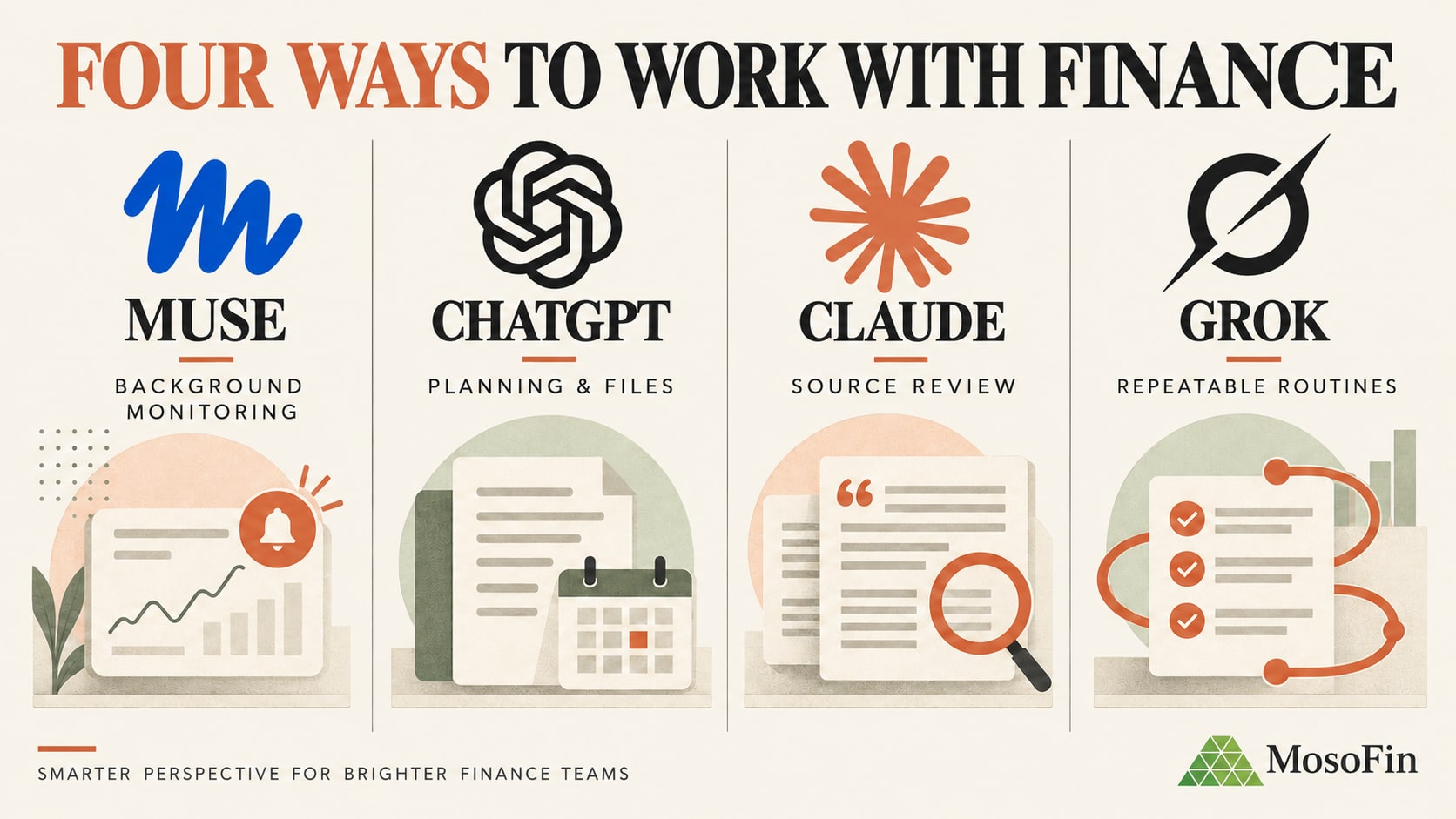
Muse can keep working after you close the app. ChatGPT, Claude, and Grok offer different ways to work with connected records. MosoFin publishes connection guides for all four; their capabilities and approval controls are not interchangeable.
The short comparison
| Platform | Useful finance capability | MosoFin connection |
|---|---|---|
| Muse | Background tasks, connected apps, approvals, and WhatsApp access | Custom connector setup guide |
| ChatGPT | File and app analysis; a personal Finances feature in the U.S. | Custom app setup guide |
| Claude | First-party and custom MCP connectors | MCP setup guide |
| Grok | Remote MCP tools; Grok Bot can run persistent routines | Custom connector setup guide |
The Grok setup guide covers the MCP connection. It does not establish that the same workflow works inside Grok Bot.
Muse: useful for follow-up, not unattended finance work
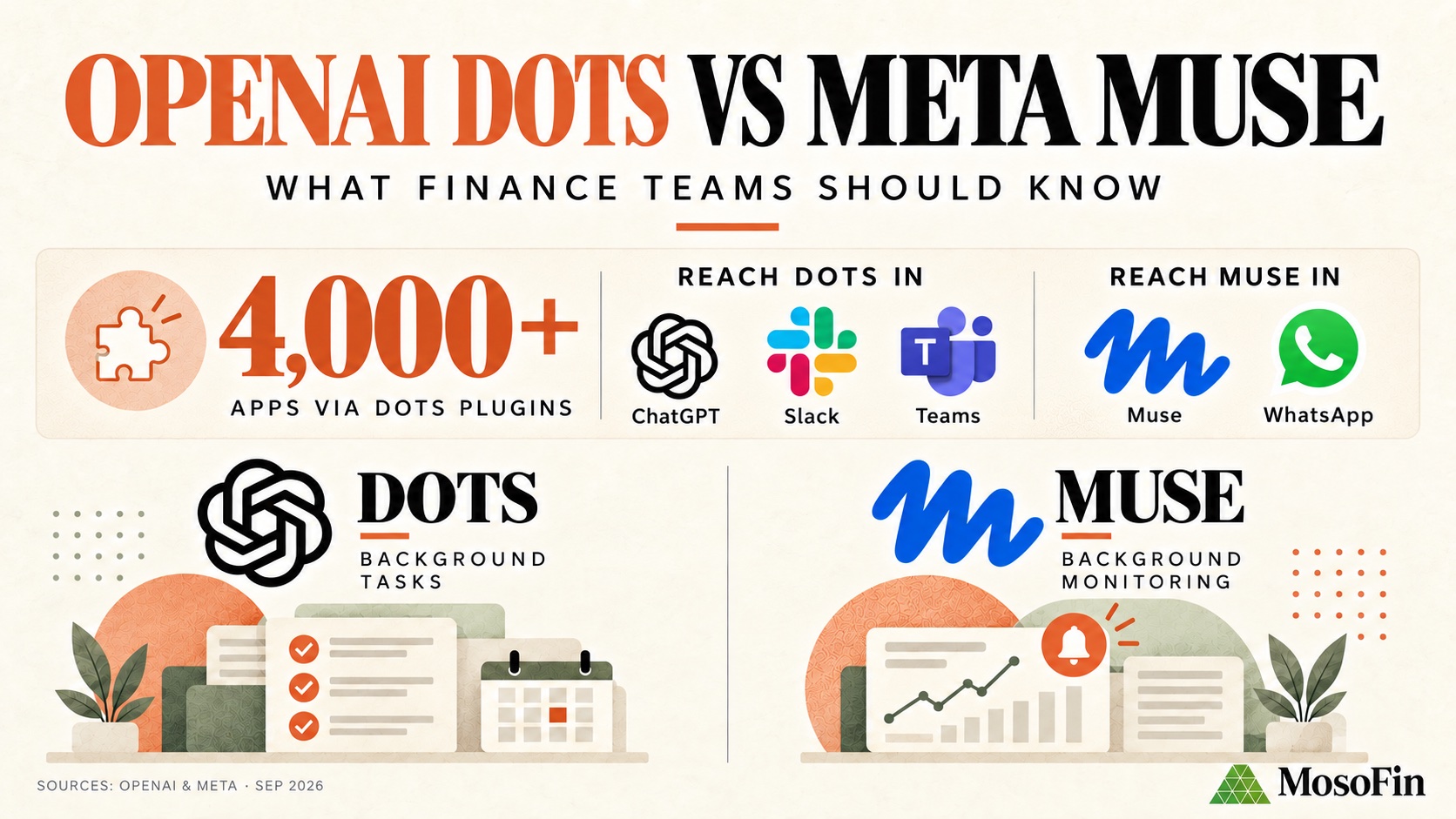
Meta says Muse can work across connected services after the app closes, return when something changes or needs approval, and be reached in the Muse app or WhatsApp. It is rolling out in the U.S.; confirm that your account and the MosoFin connector are available before planning a team workflow. Meta also describes an audit trail and approval prompts for sensitive actions. Those controls do not replace finance review.
MosoFin’s Muse guide covers its read-only QuickBooks connection. A finance professional could ask Muse to review a selected workspace for uncategorized transactions, overdue invoices, or material changes. Threshold alerts and recurring reviews are examples to explore—not documented scheduled MosoFin workflows.
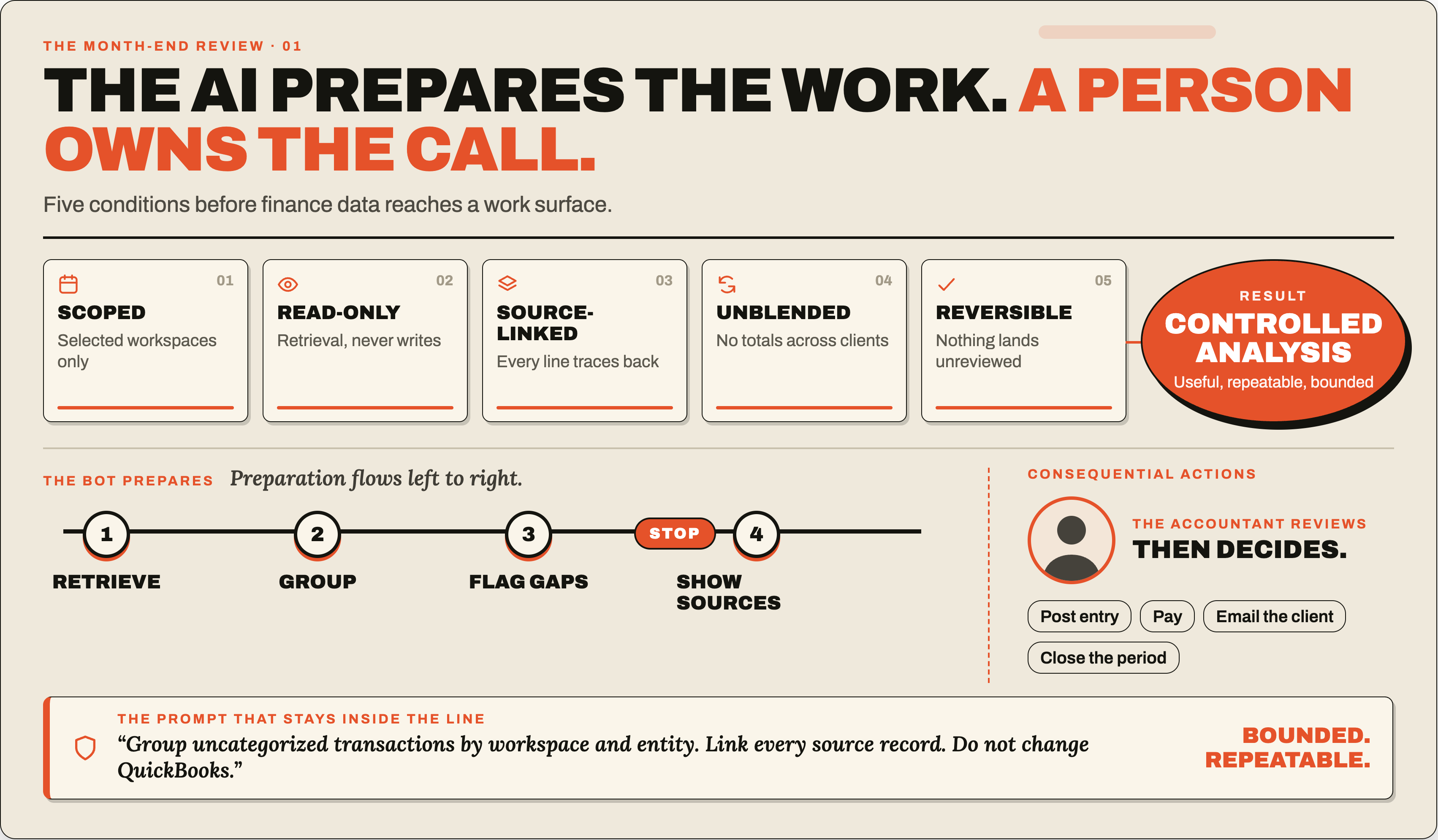
Keep the result tied to its source. A useful review brief names the workspace and company, period, retrieval time, amount and currency, source record, missing data, and the question a person must resolve. Keep separate client results separate; this is not formal consolidation.
The finished brief should include:
- workspace and entity;
- reporting period and retrieval time;
- the exception and the rule that triggered it;
- amount and currency where relevant;
- the source record;
- missing or stale data;
- the next decision, clearly assigned to a person.
An accounting firm can repeat the review across client workspaces while keeping each client’s records separate. Do not treat separate company results as a formal consolidation.
For a manual review, try this prompt:
Review the selected MosoFin workspace and QuickBooks company for [period]. Summarize income and expenses, then list uncategorized transactions or material changes that need review. Keep this company separate from others. Link findings to source records where available, state what data is missing, and do not change the books or contact anyone.
How ChatGPT approaches finance
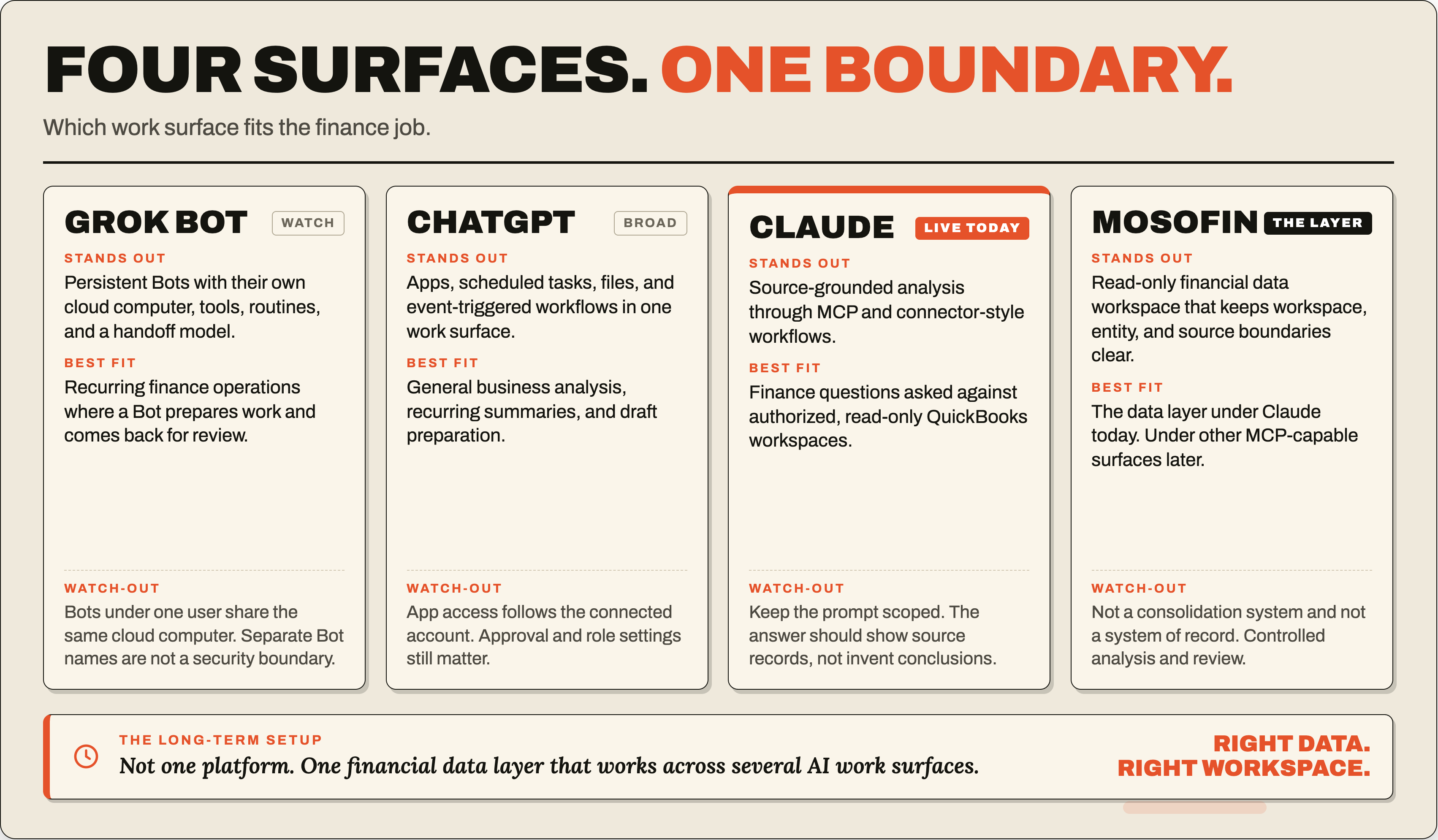
ChatGPT can analyze files and connected apps. Its Finances feature is available to Free, Go, Plus, and Pro users in the U.S.; it connects personal financial accounts through Plaid and credit-report data through Experian.
The product can help users review spending, recurring bills, subscriptions, net worth, investments, and credit information. OpenAI also draws a clear action boundary: the finance experience cannot move money, pay bills, make trades, change account settings, or file taxes.
Finances in ChatGPT covers personal financial accounts. MosoFin’s custom app is a separate route for reviewing authorized QuickBooks data across business workspaces and entities.
The MosoFin ChatGPT guide explains how to create the custom app, authorize MosoFin, and test workspace access.
How Claude approaches finance
Anthropic supports first-party connectors and custom remote MCP servers, so Claude can retrieve context from external services during a conversation.
The Claude custom connector documentation tells users to connect only to trusted servers, review permissions, and limit enabled tools.
A finance professional can connect an authorized workspace, ask a question, and inspect the records behind the answer. MosoFin’s QuickBooks tools are read-only.
Try questions such as:
- What changed in gross margin this month?
- Which overdue invoices need an owner follow-up?
- Which transactions are still uncategorized?
- Which figures in the management report need source verification?
How Grok approaches finance
xAI supports remote MCP tools, including controls that restrict a connection to an allowed list of tools. xAI specifically notes that allowing only read-only operations can reduce risk.
The MosoFin Grok guide explains how to connect and authenticate the MCP server for authorized QuickBooks workspaces.
Separately, Grok Bot has a persistent cloud computer and can save demonstrated workflows as skills or routines.
That could help prepare a month-end packet, but the MosoFin guide documents Grok’s MCP connection, not a Grok Bot workflow. xAI says a user’s Bots share a cloud computer, including files and browser sessions; separate Bot names are not separate security boundaries.
Frequently asked questions
What makes Meta Muse different from ChatGPT, Claude, and Grok?
Muse can work across connected services, continue tasks in the background, and ask before certain actions. Users can reach it in the Muse app and WhatsApp.
What is the best Muse use case for a finance professional?
Start with a read-only review in a selected MosoFin workspace. Ask Muse to summarize a period or flag transactions for review, then check each result against its source. MosoFin provides a Muse setup guide; scheduled finance monitoring is not a documented workflow.
Can I connect MosoFin to Muse and ChatGPT?
Yes. MosoFin publishes setup guides for the ChatGPT custom app and Muse custom connector, as well as guides for Claude and Grok. Each platform has its own access and approval flow.
Should a finance agent be allowed to change accounting records?
Start with read-only retrieval and source-linked analysis. Payments, journal entries, customer messages, account changes, and other consequential actions should remain behind explicit human approval.
Related MosoFin guides
- Connect MosoFin to Grok
- Compare Grok, ChatGPT, and Claude for finance teams
- Set approval boundaries for AI finance bots
- Use MosoFin for QuickBooks reporting in Claude
- Review MosoFin’s read-only security model
Sources
- Meta, Introducing Muse
- Meta, Muse Connector Platform
- OpenAI, Finances in ChatGPT
- MosoFin, Connect MosoFin to Claude
- Anthropic, Custom connectors using remote MCP
- xAI, Grok Bot overview
- xAI, Remote MCP tools
- MosoFin, Connect MosoFin to ChatGPT
- MosoFin, Connect MosoFin to Muse
- MosoFin, Connect MosoFin to Grok